
From the first site question
to the next design decision.
Investigate what a site can support. Establish the code basis. Review what the drawings provide. LinkWave gives architects and developers focused ways to work through each question.
See LinkWave with your teamA site is more
than its area.
Feasibility Study brings parcel context, development controls, and preliminary scenarios into the same workspace. Test the relationship between the envelope, program, parking, and financial assumptions.
- Bring
- A property location, intended use, and the decision you need to investigate. Include available survey or prior-study material in the discussion.
- Examine
- Setbacks, FAR, coverage, height, parking and access, unit yield, and the scenario geometry. Use plan and massing views to discuss the arrangement.
- Evaluate
- Pro forma inputs and modeled outputs: development costs, income, financing, cash flows, residual land value, IRR, and equity multiple.
Preliminary scenarios and assumption-driven financial results support investigation. They are not a zoning approval, appraisal, or guarantee of returns.
Explore Feasibility Study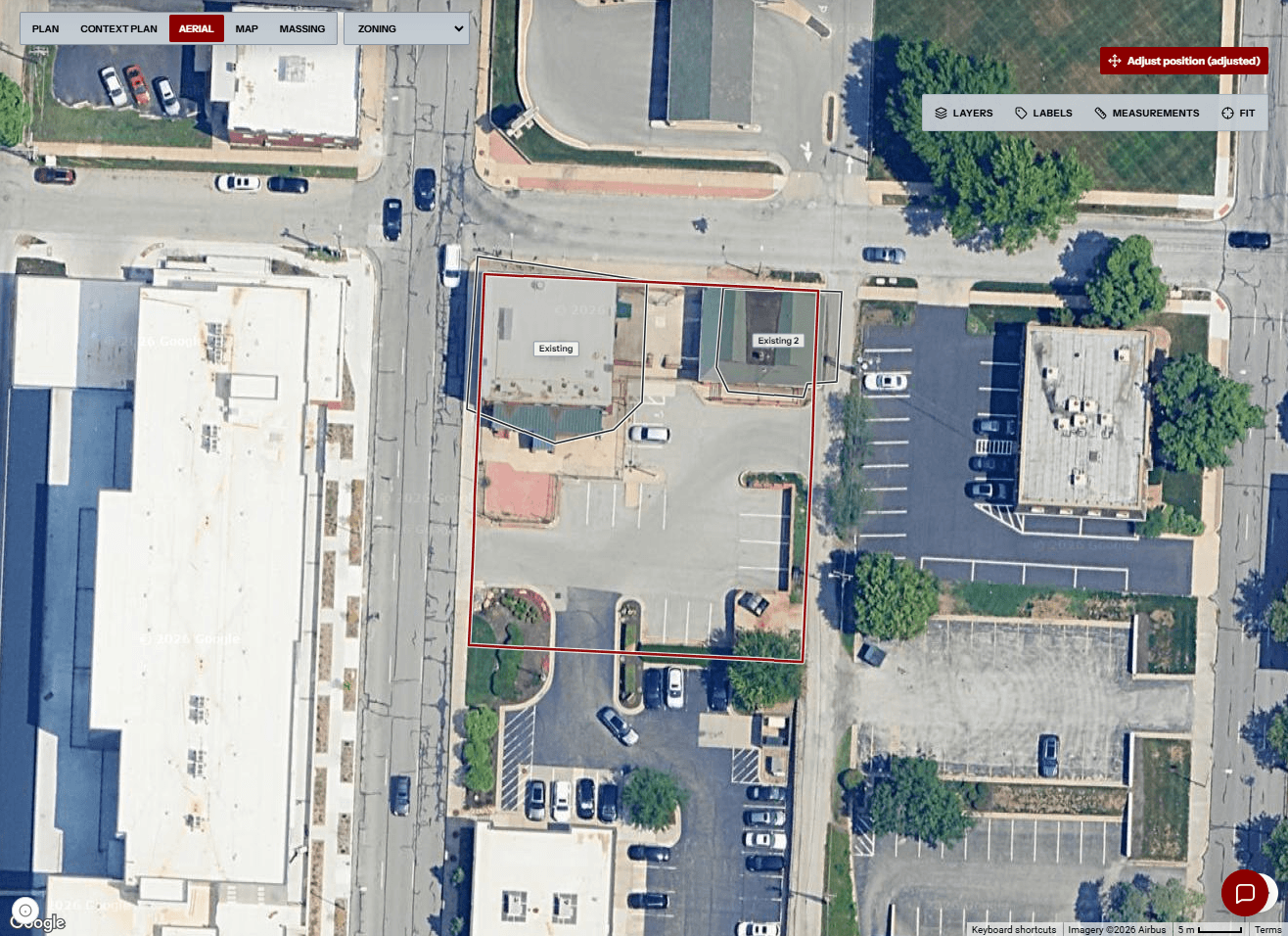
Make the code basis
part of the design.
Code Research & Analysis works through project premises and criteria. A useful code sheet explains which conditions the design is being evaluated against—and the references behind them.
- Project premises
- Address, use, occupancy, construction type, floor and area information, and sprinkler assumptions establish the question.
- Criteria and references
- Review generated criteria, required or allowed values, reference information, and notes. Inspect the applicable source layers and project context.
- Review and handoff
- Use the conversation to investigate the analysis, regenerate after input changes, and export the sheet for review with the team.
A verdict is not
the whole finding.
Design Compliance reviews a PDF plan set and organizes returned Safety and ADA findings. Inspect the evidence behind the result before deciding what the drawing needs.
Read the requirement.
Check the reference and required value against the project conditions. Familiar wording can still depend on a different premise.
Open the evidence.
Review provided values, extracted information, and notes. Where available, use the sheet location and highlight to inspect the surrounding drawing.
Choose the response.
Distinguish a passing check, a reported conflict, and insufficient information. Missing evidence needs clarification; a verified conflict needs a design response.
Different questions.
A shared project context.
The next person needs more than an answer. Carry the project basis into the handoff: which property or drawing revision was reviewed, what the proposal assumes, and what remains to be resolved.
- Keep the basis visible. Identify the property, jurisdiction, intended use, and relevant source material.
- Keep the versions clear. Discuss a named study or drawing revision so the team is not comparing different work.
- Keep the question specific. Point to the criterion, scenario input, or drawing condition that needs a decision.
Project information and conversations help hold that context. This is a review discipline—not a claim that every change automatically synchronizes across workflows.
Project basis
- Property and jurisdiction
- Intended use and assumptions
- PDF drawings and revisions
- Available source material
Feasibility Study
Test development controls, preliminary geometry, program, parking, and modeled economics.
Code Research & Analysis
Organize premises, criteria, sources, status, and unresolved code questions.
Design Compliance
Review safety and ADA findings against the drawing evidence returned with them.
Reviewable handoff
- Named scenario or drawing revision
- Source and project premise
- Reported result and status
- Decision, question, or next action
Project information and conversations help carry context around these workflows. This map does not imply that every change automatically synchronizes every analysis.