
Inspect the chain
behind the conclusion.
A finding is useful when someone else can examine its basis. LinkWave brings the requirement, the available drawing evidence, and the result together so the review can continue.
Inspect a finding with us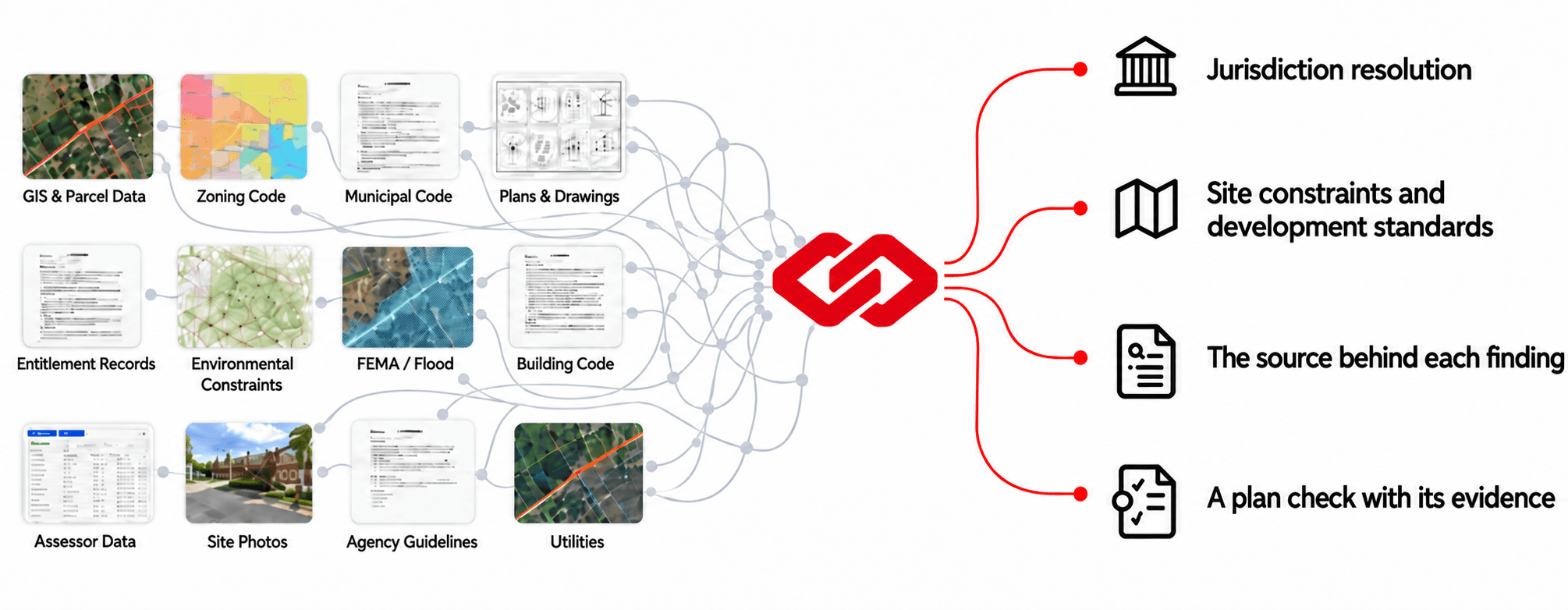
From the rule
to the reported condition.
These are fields in a review, not four independent assurances. Read them together. When one part is missing or inconsistent, investigate before treating the conclusion as settled.
Requirement
What condition is being evaluated?
Read the criterion and required or allowed value. Confirm that the referenced requirement applies to the project conditions being reviewed.
Provided information
What did the review find in the drawings?
Inspect the provided value and extracted information. A stated value, a drawn condition, and an inference are not interchangeable.
Source and location
Where can a reviewer check it?
Open the requirement references and available drawing highlights. A finding may include one or more sheet locations; some findings do not return a highlight.
Conclusion
What does this check establish?
Read the result together with its note. Pass, fail, and insufficient information have different meanings and require different next steps.
- Requirement
2010 ADA Standards §404.2.3: 32-inch minimum clear opening, measured with a swinging door open 90 degrees.
Open the source - Project premise
Illustrative single-leaf door on an accessible route; no exception is assumed.
- Drawing evidence
A2.1 · Door 104 · 3-foot leaf scheduled; the face-of-door-to-stop clearance is not dimensioned.
- Result
Insufficient information · verify the clear opening at 90 degrees and record the measured value.
The sheet and door number are fictional and labeled for explanation. The linked accessibility criterion is a real primary source; project applicability still requires professional review.
Keep different kinds
of evidence distinct.
- A declaration
- A code-summary note records what the drawing says. Check whether the rest of the set supports that premise.
- A drawing condition
- A dimension, detail, or location provides information about the design. Read its context, units, and relationship to other sheets.
- A requirement
- A reference provides the criterion for review. Confirm the edition, applicability, and relevant project conditions.
Agreement matters. A familiar-looking number in all three places does not remove the need to understand how it was obtained and applied.
When the evidence
doesn’t agree.
Illustrative coordination question
A summary describes one condition while a detail appears to describe another. Do not select the more favorable statement simply because it produces a passing result.
- Identify the exact statements and their sheet locations.
- Confirm that the sheets belong to the same drawing revision.
- Check the finding’s provided value and explanatory note.
- Ask the responsible designer to reconcile the inconsistency.
This is a review method, not an example of an actual LinkWave project result.
Read the building-code analysis guideTraceable does not
mean unquestionable.
Not an immutable audit log
This page describes the information available for inspecting a finding. It does not promise tamper-evident records, a certified chain of custody, exhaustive source coverage, or automatic verification of every drawing statement.
Not a substitute for judgment
References and highlights make review possible; they do not guarantee the interpretation is correct. Software-assisted findings still require the applicable project context and professional review.
See the drawing-review workflow